Hi,
In Qalyptus desktop I don’t know why, but when I change the quality of the images, nothing change, the quality is not good.
I see the pixels with a zoom at 150%, and at 200% it’s like this :
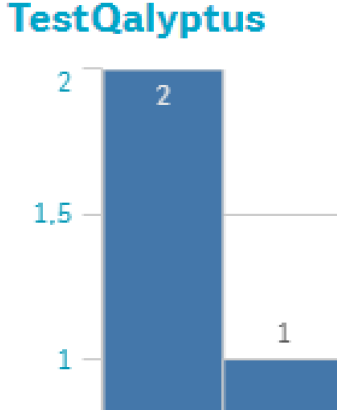
Yes we can read, but that’s not 300 DPI.
I’ve put the quality on High in the report section, and same in the image property.
To be sure, I used a simple native bar chart of Qlik Sense.
I tried to reduce the size of the image, it’s the same.
Can I have help please ?
Thank you.
Hi @cedric.michel-lepage,
Thank you for the details.
You are right to test with a native Qlik sense chart.
Please check the log file and let me know if you see a warning message that says “Image export failed. We try exporting with standard quality.”
Thank you,
Hi,
There is no warning message and nothing special in the logfile.
I’ve done multiple tests, I don’t know why I can’t have a better quality.
Edit :
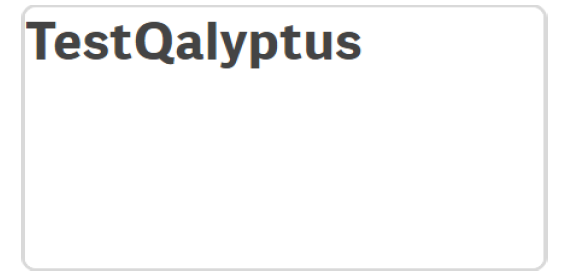
Now when I selected a better quality, my images are empty like this :
Best regards
Since the log shows no fallback warning, the blank images at higher quality suggest the export may be failing or timing out at that setting rather than simply downscaling. Try a minimal report with one simple native chart, export at Medium and then High, and check whether the high-quality file is zero bytes or just blank. If High consistently produces blanks, that points to an export/renderer limit rather than the DPI option itself.
e the log shows no fallback warning, the blank images at higher quality suggest the export may be failing or timing out at that setting rather than simply downscaling. Try a minimal report with one simple native chart, export at Medium and then High, and check whether the high-quality file is zero bytes or just blank. If High consistently produces blanks, that points to an export/renderer limit rather than the DPI option itself.
h, and check whether the high-quality file is zero bytes or just blank. If High consistently produces blanks, that points to an export/renderer limit rather than the DPI option itself.